
Every knob, explained.
NAMper turns an iPhone, iPad or Android phone into a complete guitar rig: Neural Amp Modeler profiles of real amps, a routable pedalboard, your own AU or AAP plugins, a four-track looper that keeps time for you, sampler pads, backing tracks with a lyrics teleprompter, and MIDI control over all of it.
START HEREFive minutes to your first sound
- Plug your guitar in — through an audio interface if you have one, or just play into the phone with headphones on.
- Open the Rig tab and tap the power button in the top-right corner. Nothing makes a sound until it is on.
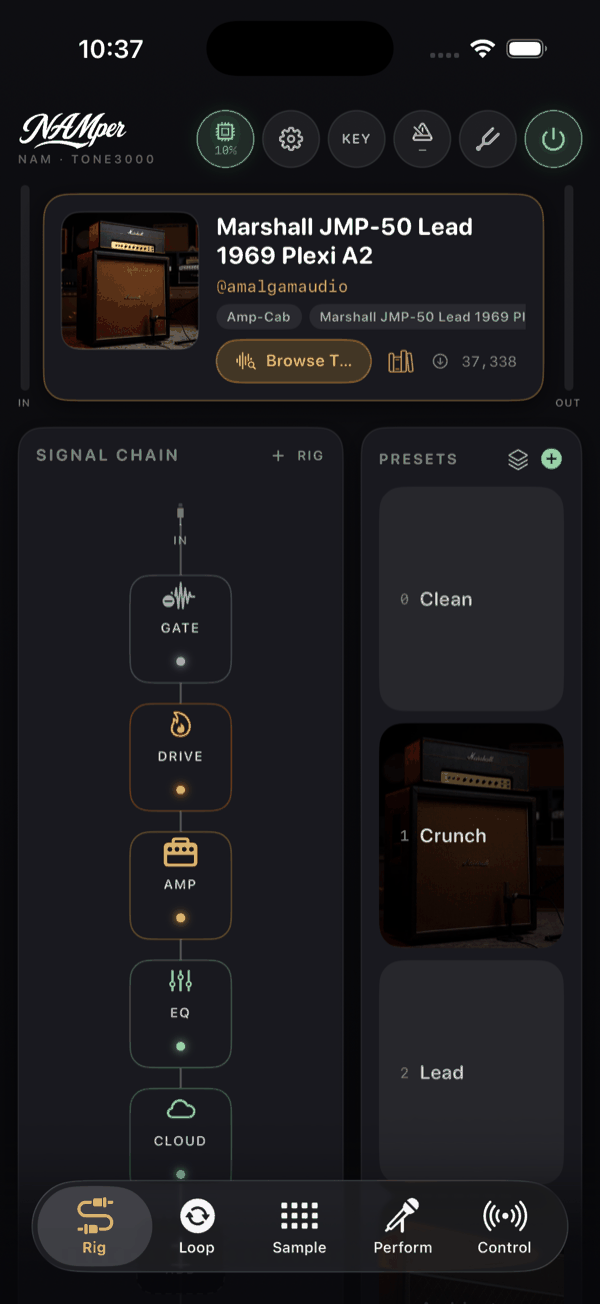
- Play. Watch the IN meter beside the amp card — a hard strum should reach the top third. If it does not, raise Input trim in Settings.
- Tap a preset in the PRESETS rail: Clean, Crunch, Lead or Ambient.
- Tap any block in the chain to open it, and tap the footswitch strip along the foot of a block to switch it off and on.
On the built-in mic and speaker NAMper mutes itself on purpose, so your phone does not howl. See the feedback guard.
THE GUIDEEverything, chapter by chapter
ORIENTATIONThe five tabs
| Tab | What lives there |
|---|---|
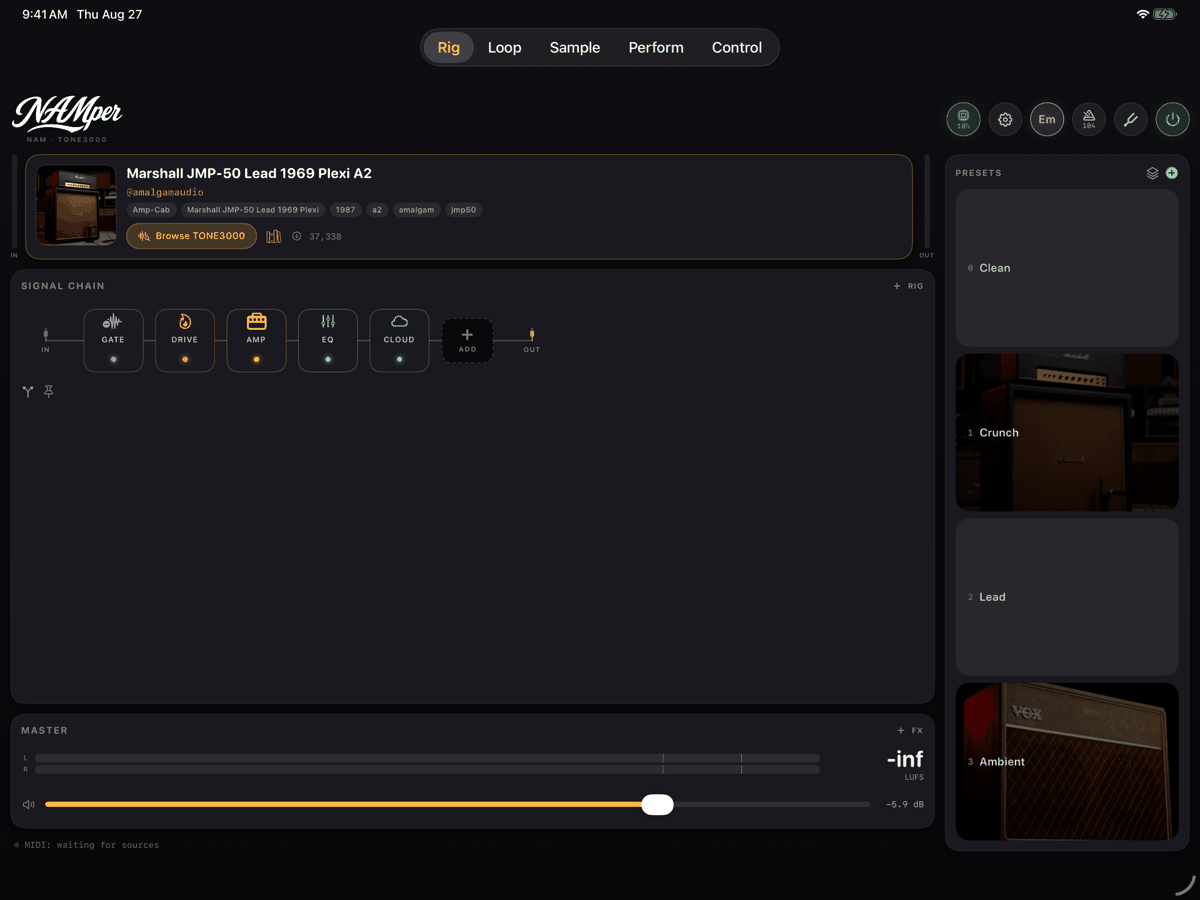
| Rig | The amp, the signal chain and the presets. The only tab with the header bar, so the power button, Settings, the tuner, the key and the metronome all live here. |
| Loop | The four-track looper. |
| Sample | The sixteen sampler pads and their kits. |
| Perform | Backing tracks, the setlist, the stage buttons that switch sounds and the lyrics teleprompter. |
| Mix | The console: a channel strip for every rig, branch, loop track, the sampler and the backing player, the send buses, the master section and the recorder. |
The MIDI map, the taught sound triggers and Bluetooth pairing are no longer a tab of their own: they live in Settings → Control.
On iPad — and on Android tablets and unfolded foldables — the same five tabs sit across the top and the rig lays out edge to edge, with the signal chain running left to right and the preset rail down the side.
NAMper runs a seven-step spotlight tour over the live interface the first time you open it. You can replay it whenever you like from Settings → PROMPTS → Replay the quick tour.
STUCK?Getting help
- Ask in the Telegram community — that is the fastest way to reach other players and the developer.
- Report a bug or request a feature on the issue tracker.
- If audio is misbehaving, Settings → DIAGNOSTICS → Share engine log gives you a plain-text log of interface routing and peaks to attach to a report.