Your phone is a
complete guitar rig.
Neural Amp Modeler profiles of real tube amps, a pedalboard of studio effects, your own AU or AAP plugins, a synced four-track looper, sampler pads, backing tracks with a lyrics teleprompter and full MIDI control — on the phone already in your pocket.

On the Mac too: the same rig as a desk app, plus AU, VST3 and CLAP plug-ins for your DAW — one notarized installer, macOS 14 or newer, Apple silicon and Intel. The Mac chapter →
Real amps, captured.
- Neural Amp Modeler engine — studio-grade captures of real tube amps
- Thousands of free tones from the TONE3000 community
- Built-in tube amp voicings and cab IRs work fully offline
- Load your own .nam profiles and impulse responses
- Several impulses in one cab, and a tone's models as a bank — one knob or one CC walks the whole set
- HyperReal: fifteen amps computed from their circuits, part by part — no download, no account
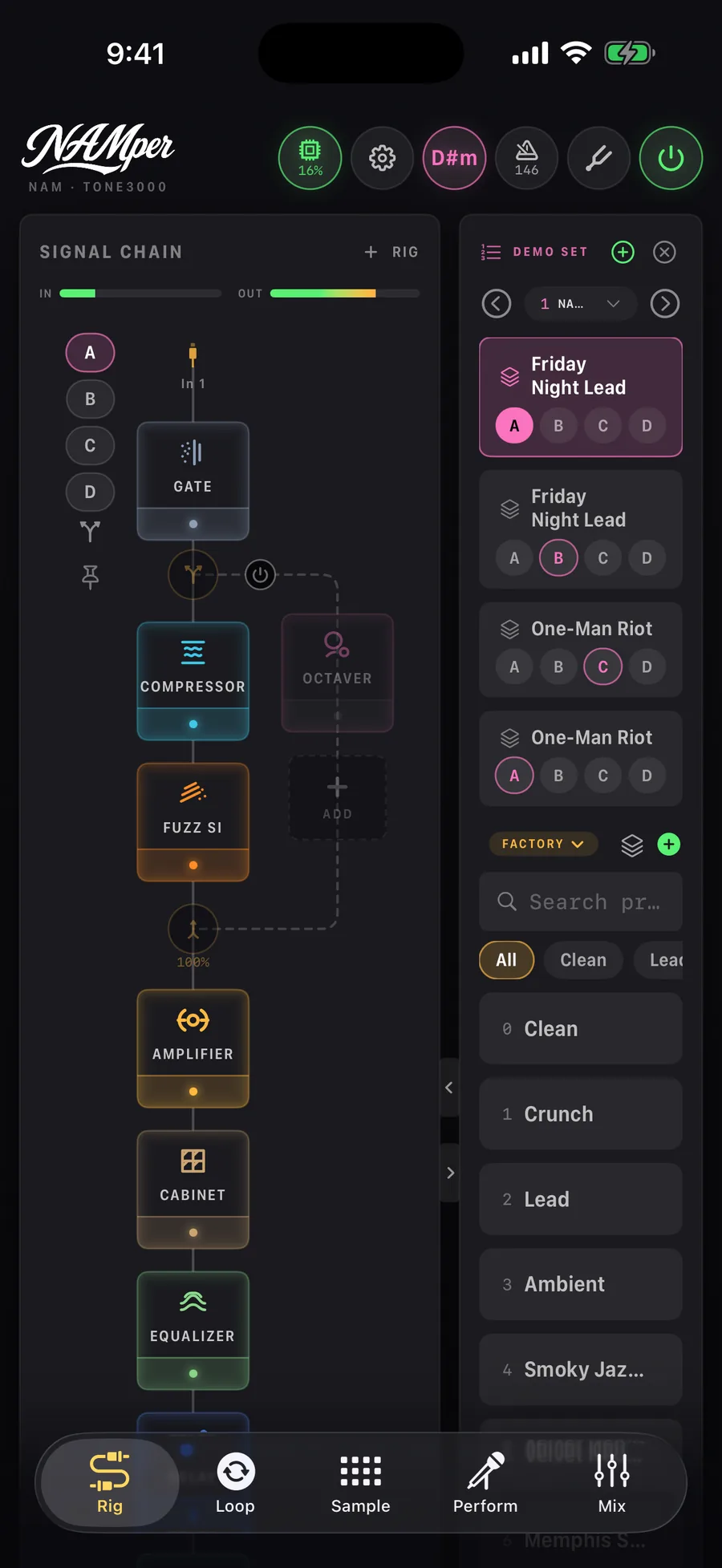
A pedalboard that routes like a patchbay.
- Drag-and-drop signal chain with parallel branches
- Up to four independent rigs — guitar and vocals at once, each on its own input and output
- Five EQ models — Tone, Para, Passive, Console and Bax — and a master section with saturation, limiter and LUFS metering
- Presets on MIDI program-change slots, sharable as files
Your other plugins. And NAMper inside theirs.
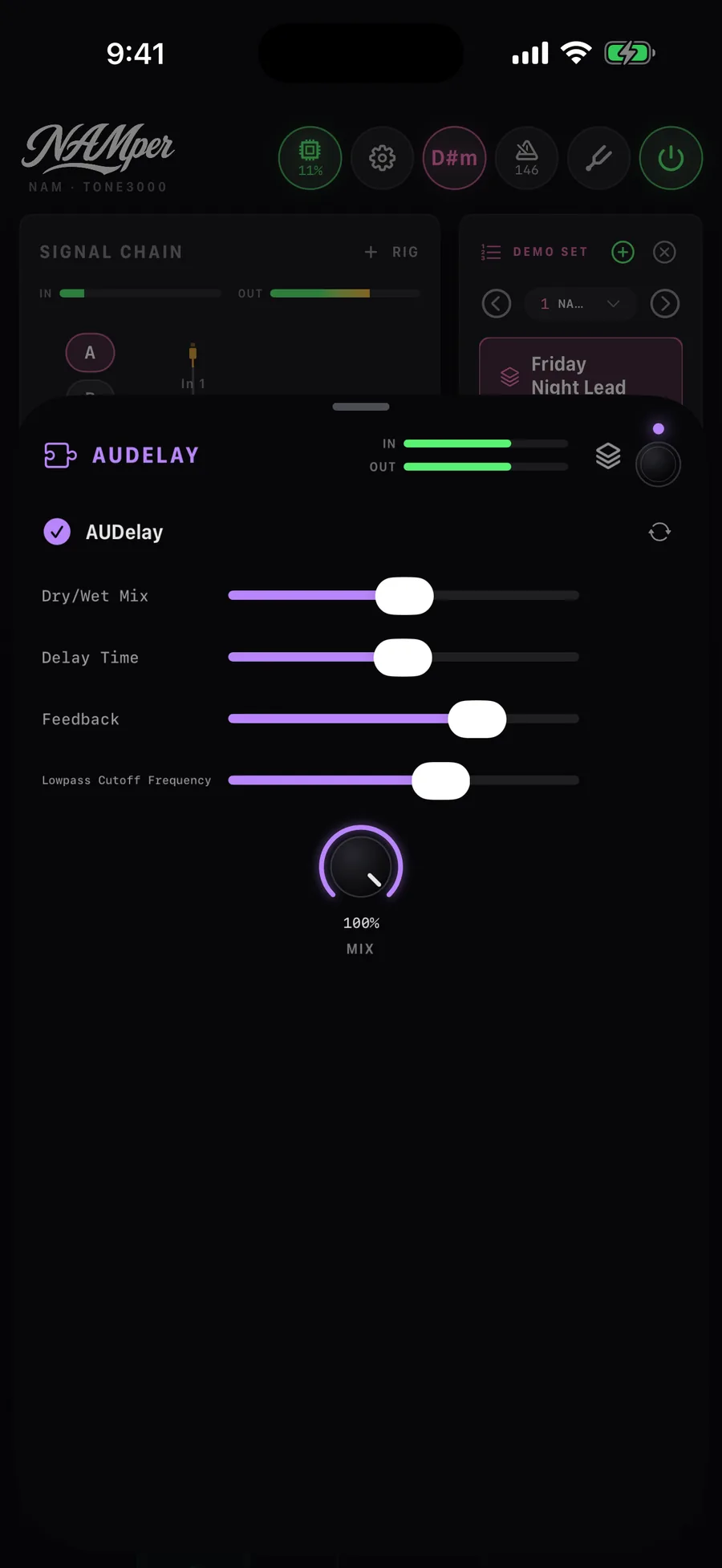
- Add any Audio Unit (iOS) or AAP (Android) effect you own straight from the blocks palette
- The plugin’s own interface opens right inside the block editor
- NAMper is an AUv3 effect on iOS and an AAP effect on Android — load it in GarageBand, AUM, Logic or any AAP host
- Plugin settings travel with your presets
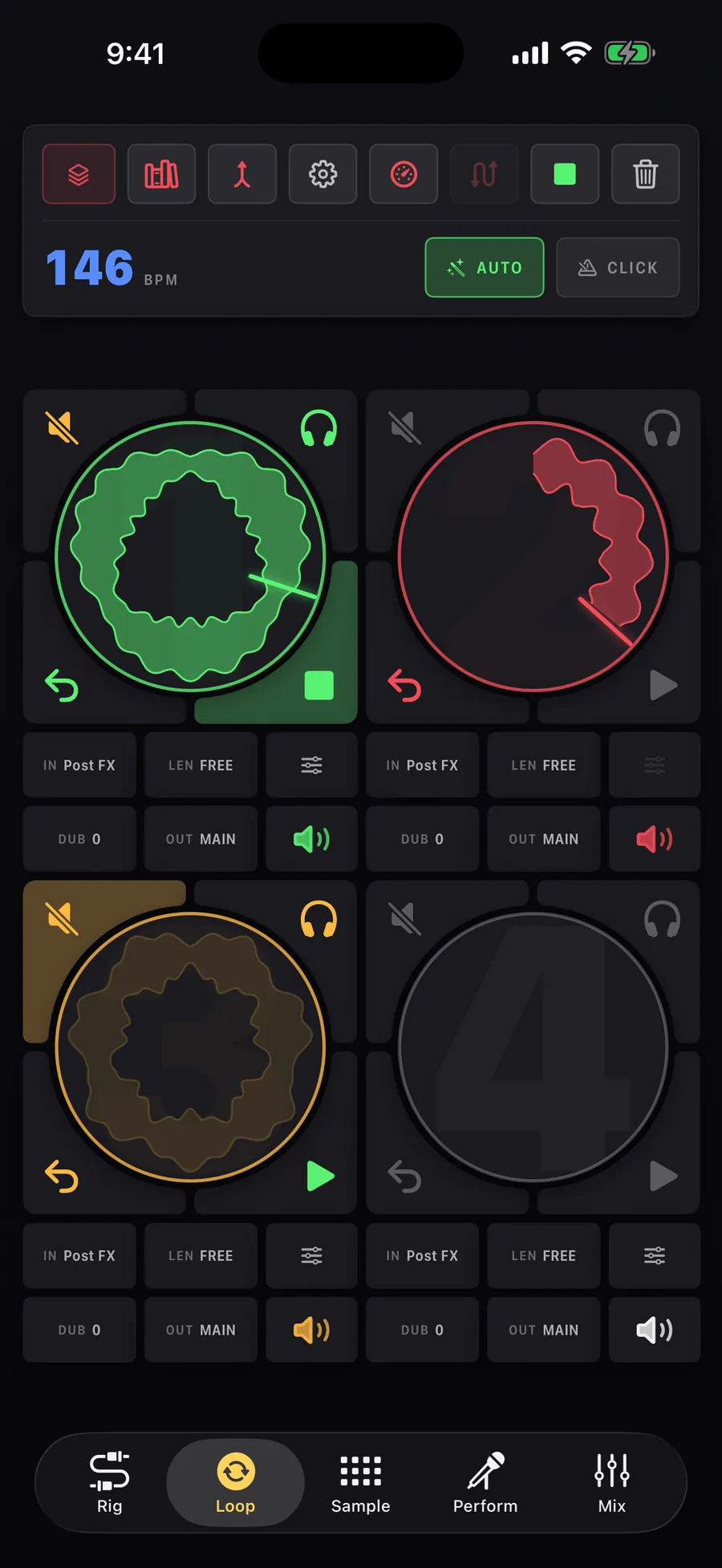
A looper that keeps time for you.
- The first loop sets the cycle — everything else lands on the bar grid
- Circular pads draw the take as you play it, with a beam running the cycle
- AUTO arms the next track, starts on your first note and snaps the loop to the bars you actually played
- Loop editor: drag the edges, ÷2 or ×2, nudge the phase, pan, undo
- Record post-FX, a raw input, another rig or the sampler — with tempo detection and a phase-locked click
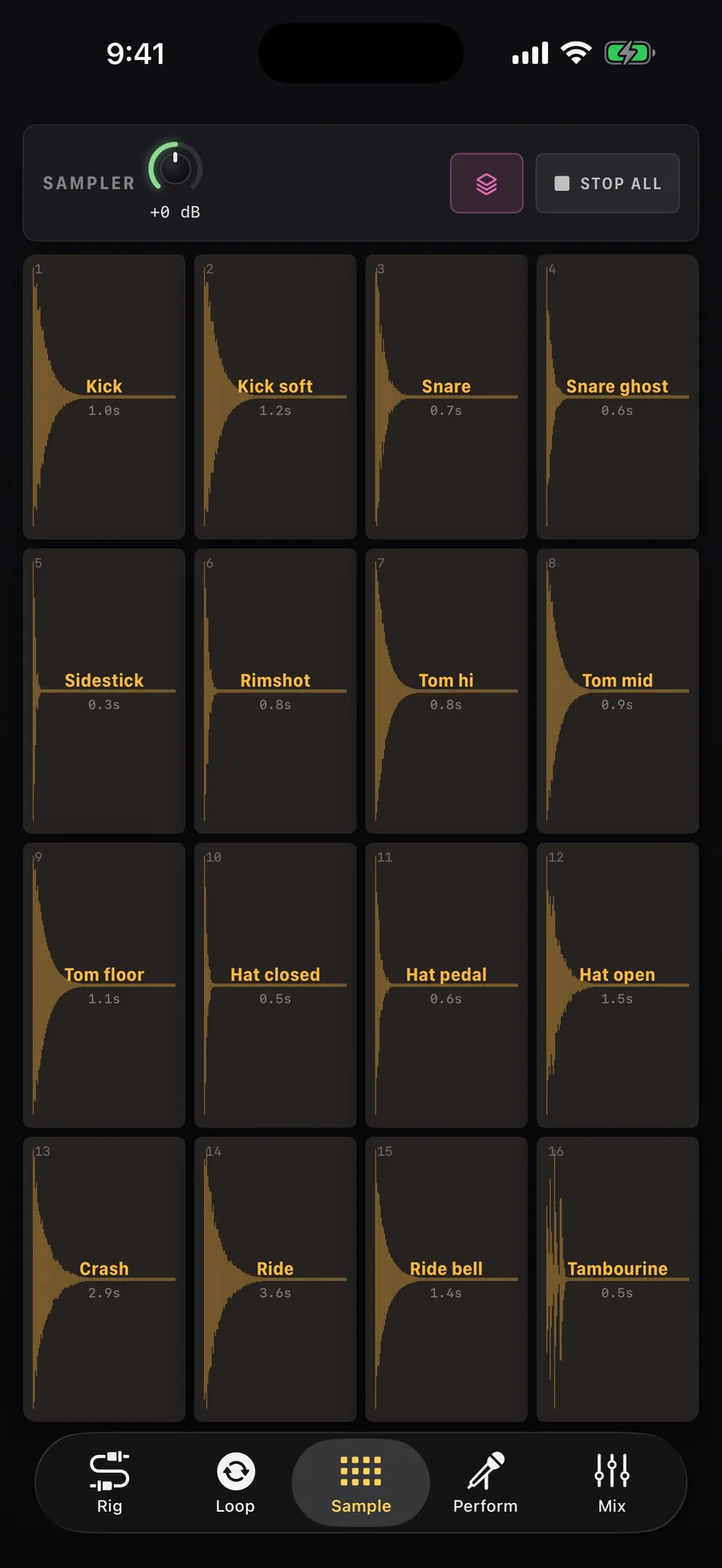
Sixteen pads, four factory kits.
- Load files or record straight into a pad — trim, pitch, loop, envelope
- Factory kits: digital, analog and acoustic drums, plus FX & textures
- Trigger quantize pulls your hits onto the grid while you record
- MIDI notes 36–51 play the pads; kits save and recall as presets
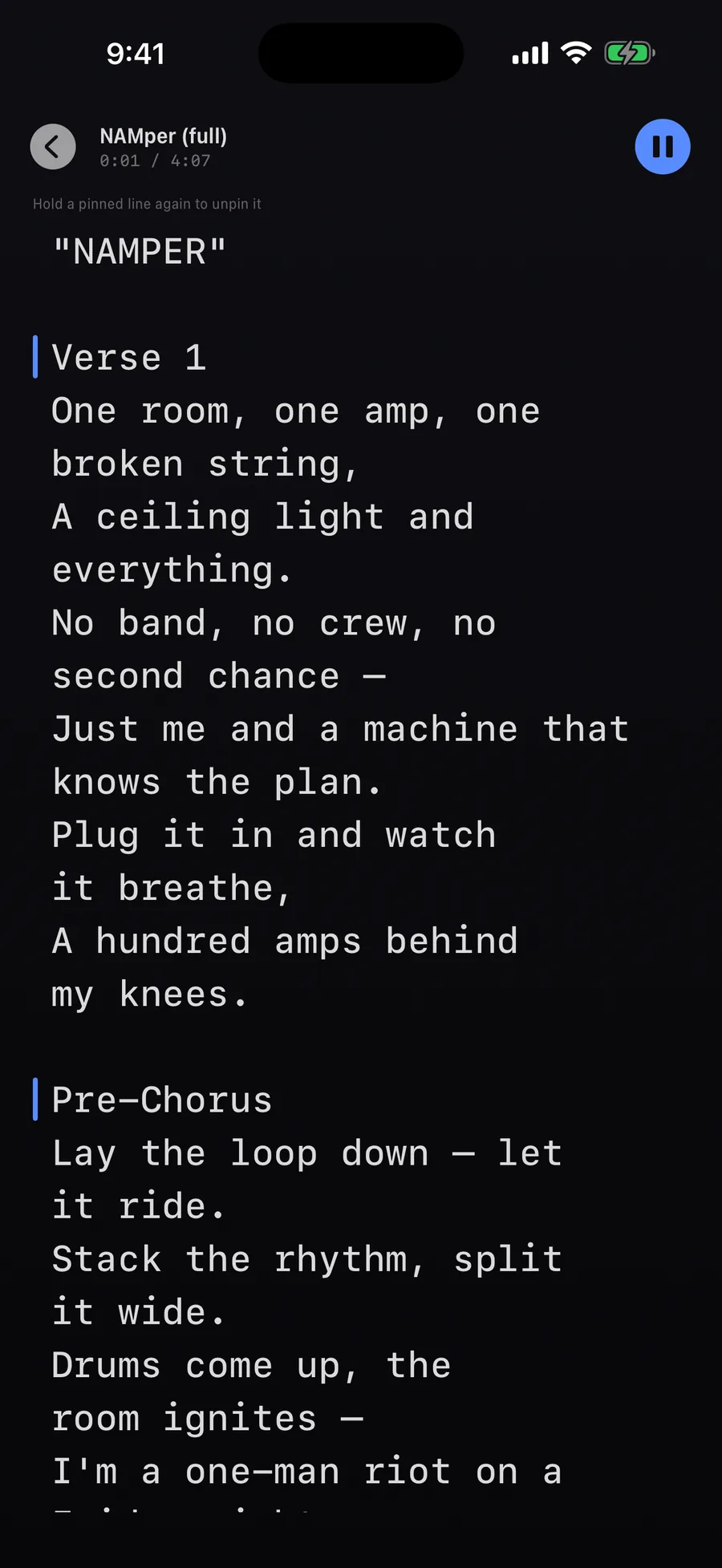
Backing tracks, lyrics, and the whole show.
- Setlists of backing tracks, with automatic tempo and key detection
- Lyrics scroll on the glass — hold a line to pin it to the moment
- Preset markers on the song timeline, snapped to bars
- Multitrack recording — mix, dry input and backing — exported as a DAWproject
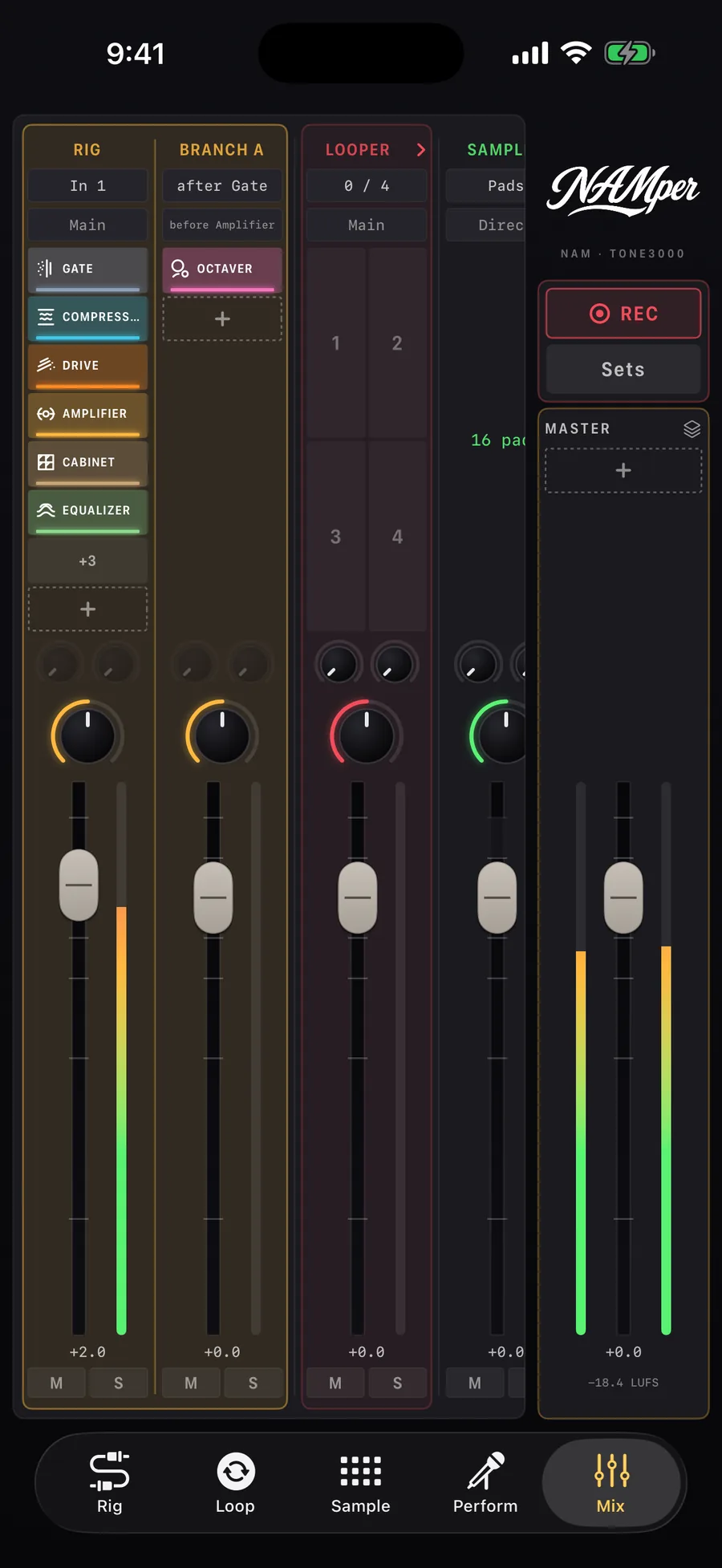
Everything that sounds, on one desk.
- A channel strip for every rig, branch, loop track, the sampler and the backing player
- Faders, pan, mute and solo — and each strip's chain, editable from the desk
- Two global send buses with their own return chains
- A master section with saturation, limiter and LUFS metering, and the recorder beside it
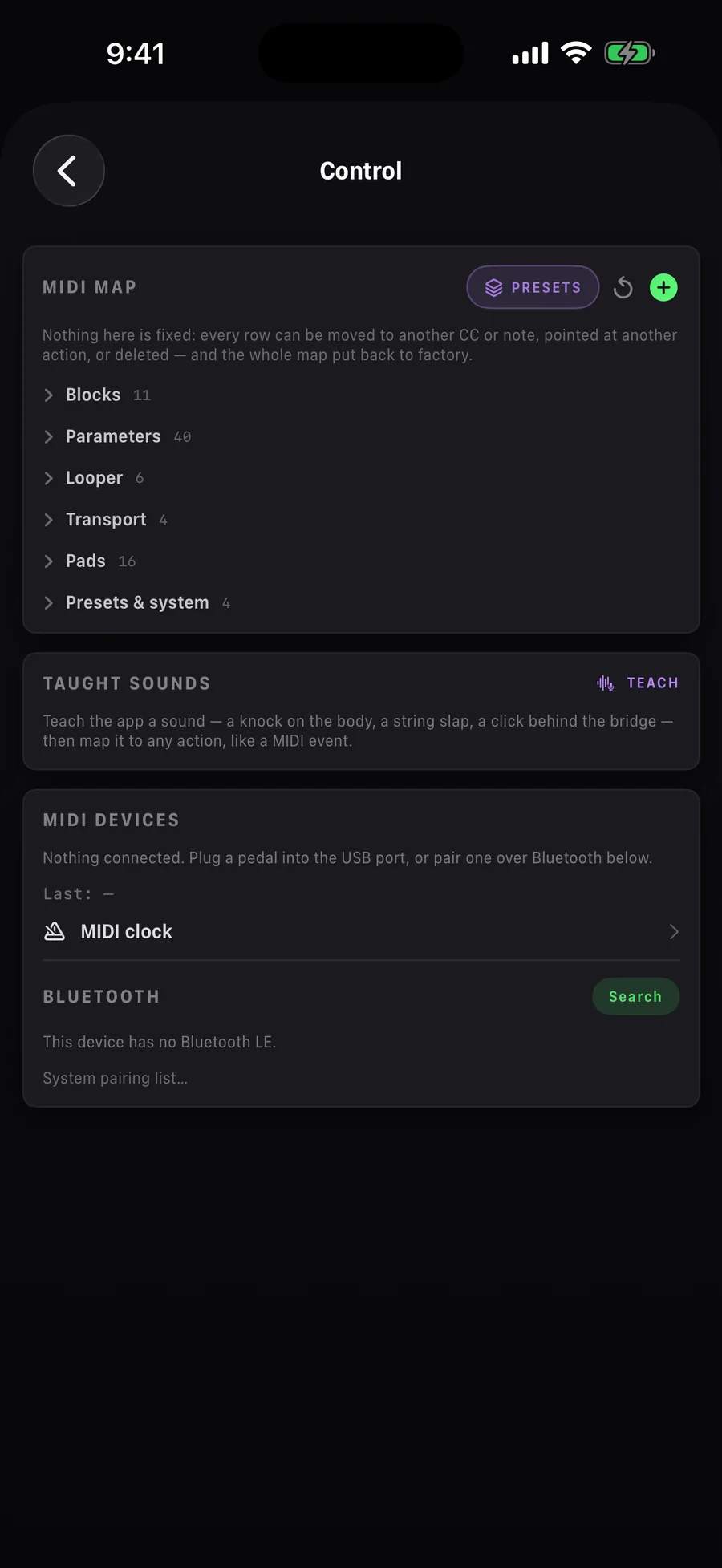
Hands on the strings, not the screen.
- Bluetooth MIDI pairing built in; MIDI learn for any CC or note
- Teach it a sound — a knock on the body, a string slap — and map it to anything
- Chromatic and polyphonic (strum) tuner
- Multichannel audio interfaces, per-channel trim and naming
- A feedback guard mutes the output before the mic finds the phone speaker
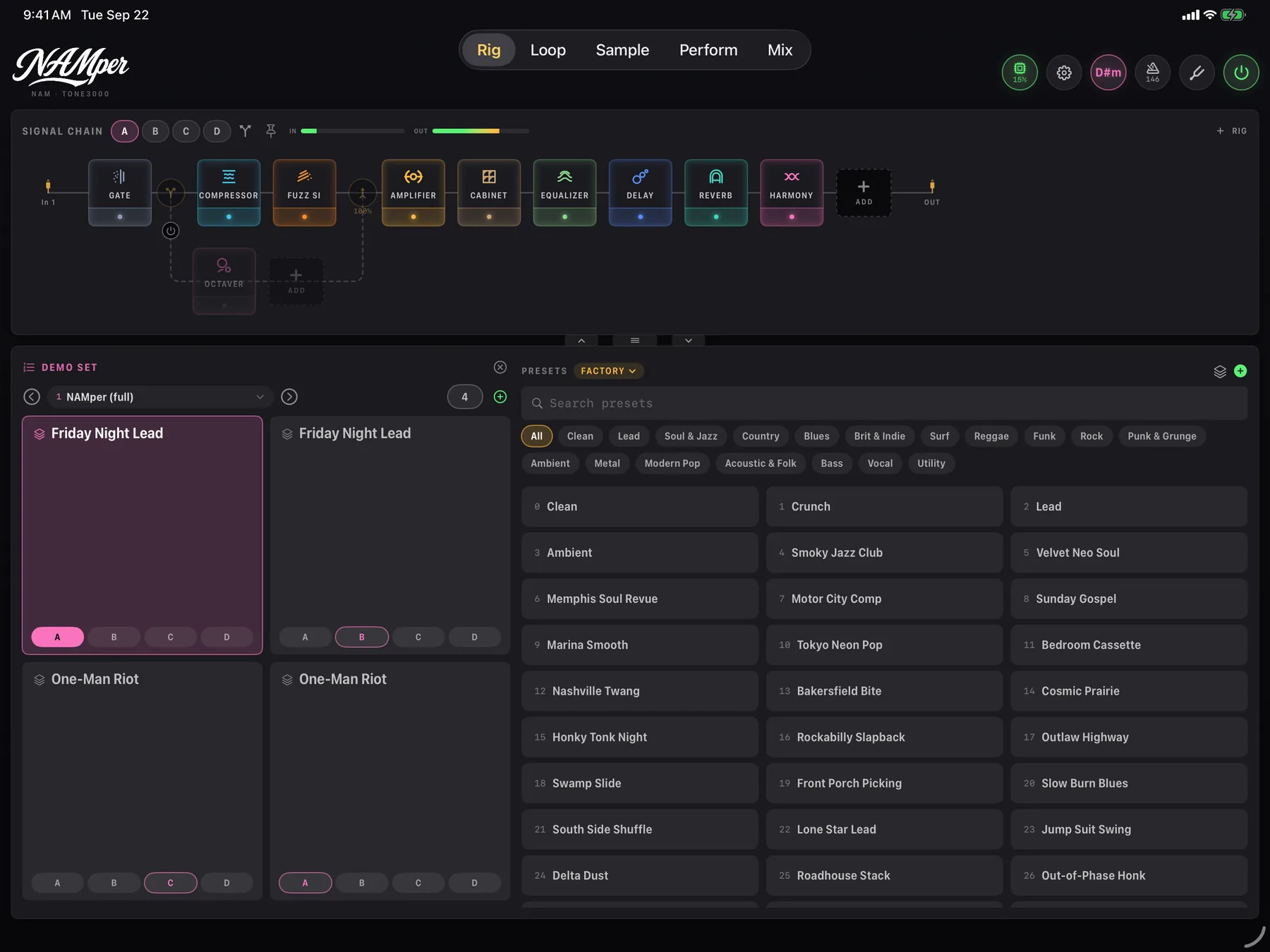
The full rig, edge to edge — with a preset rail built for stage tapping.
Need more battery, more power and more screen? Everything here runs on iPad just the same.
And on Android — the same app on the same engine, with USB-C interfaces, AAP plugins and a wide layout for tablets and foldables.
Every knob, explained.
Getting started, the signal chain, the looper, sampler pads, the setlist and lyrics, MIDI and every setting — written for a musician reading it on a phone.
Free. And it stays free.
Every amp, every effect, every update — no ads, no locked features, no subscriptions. If NAMper earns a place on your pedalboard, there is a tip jar inside. That’s the whole business model.
Something not working? Write to me.
Mail goes straight to the developer and is answered within a day or two. For a crash or a bug, Share engine log in the app's About attaches everything I need. The user guide covers every block and setting.
Made by one person. Kept free by its players.
A tip pays for the developer accounts, the test hardware and the next feature — and tells me the app has earned its place on your pedalboard. Nothing is unlocked, nothing changes: it just keeps NAMper going.
There is also a tip jar inside the app, in About.